How to Connect Cricut Mug Press for Scalable Production Workflows?
Апрель 3, 2026
Connecting a Cricut Mug Press is straightforward, but doing it correctly and consistently in a production or semi-industrial setting requires more than just plugging in a cable. For businesses exploring customized drinkware, understanding how to connect Cricut Mug Press properly ensures stable operation, minimizes downtime, and supports repeatable results. In simple terms, you connect it via Bluetooth through the Cricut Design Space, register the device, complete firmware updates, and pair it with your workflow. But beneath that simplicity lies a deeper layer of process control, compatibility, and scalability that matters to B2B buyers.
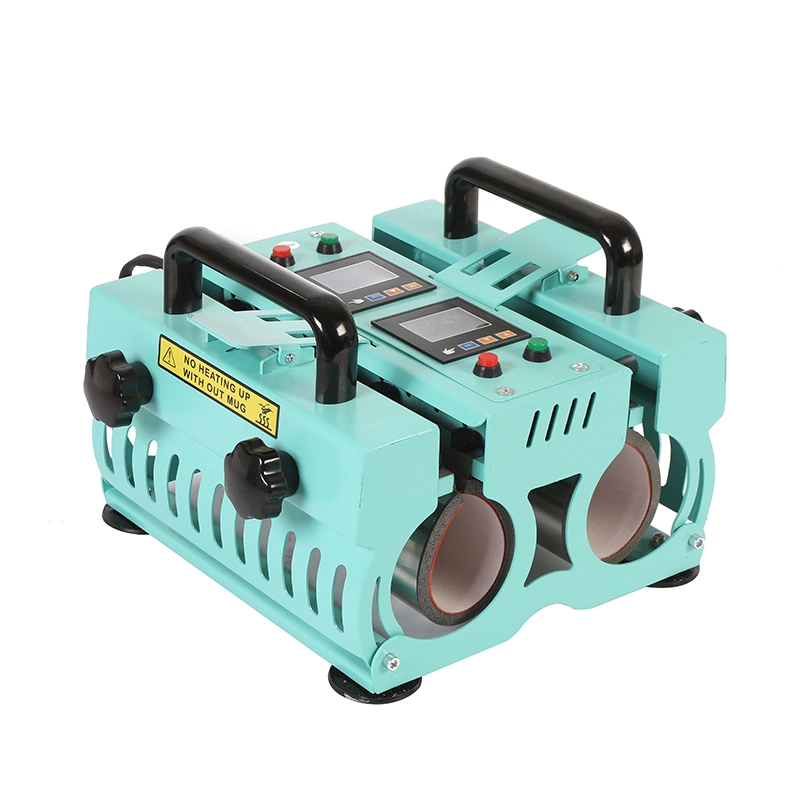
Understanding the Cricut Mug Press Connection Architecture
At its core, the Cricut Mug Press is designed as a smart heat transfer device that relies on wireless communication rather than traditional USB control. This design reduces cable clutter but introduces dependency on software ecosystems.
Key Components of the Connection Process
- Bluetooth-enabled Mug Press hardware
- Cricut Design Space software (desktop or mobile)
- Firmware synchronization system
- Heat profile automation
Unlike industrial presses that use PLC systems, Cricut devices depend on app-based logic. This is ideal for small-batch customization but requires careful setup when used in business environments.
Step-by-Step: How to Connect Cricut Mug Press
- Power on the Mug Press
- Enable Bluetooth on your computer or mobile device
- Launch Cricut Design Space
- Select “New Product Setup”
- Choose Mug Press from the device list
- Follow on-screen instructions for pairing
- Complete firmware updates if prompted
Once connected, the machine becomes part of your digital production chain, allowing controlled and repeatable heat transfer cycles.
Common Connection Issues and How to Solve Them
Even a well-designed system can stumble if the environment isn’t optimized. Think of connectivity like a relay race, where every runner (device, software, signal) must perform flawlessly.
Frequent Problems in Business Environments
- Bluetooth interference from multiple devices
- Outdated firmware causing pairing failure
- OS compatibility issues in enterprise systems
- Network restrictions in corporate IT environments
Practical Solutions
- Dedicate a workstation for each Mug Press unit
- Keep firmware updated regularly
- Use stable operating systems (Windows/macOS latest versions)
- Avoid pairing multiple presses simultaneously on one device
For businesses scaling operations, these small adjustments prevent costly interruptions.
Scaling from Hobby to Production: Is Cricut Mug Press Enough?
The Cricut Mug Press shines in small-batch customization, but as order volumes grow, limitations emerge.
Where It Performs Well
- Custom promotional products
- Small business personalization
- Prototype development
- On-demand printing
Where It Falls Short
- Continuous high-volume production
- Multi-size mug compatibility
- Automation integration
- Industrial durability
For example, businesses handling bulk orders often transition to dedicated solutions like Термопресс для кружек и стаканов to achieve higher throughput and flexibility.
Comparing Cricut Mug Press with Industrial Heat Press Solutions
To make informed purchasing decisions, it’s helpful to compare consumer-grade and industrial-grade equipment.
Table: Cricut Mug Press vs Industrial Mug Heat Press
| Характеристика | Cricut Mug Press | Industrial Mug Press |
|---|---|---|
| Connection Type | Bluetooth | Manual / PLC / Digital |
| Production Capacity | Low | От среднего до высокого |
| Automation | App-controlled | Programmable systems |
| Compatibility | Limited sizes | Multiple mug/tumbler sizes |
| Долговечность | Consumer-grade | Industrial-grade |
| Ideal Users | Small businesses | Manufacturers & distributors |
Caption: Comparison of Cricut Mug Press and Industrial Mug Heat Press for business applications
As shown, Cricut offers ease of use, while industrial machines deliver scalability.
Optimizing Heat Transfer for Consistent Results
Connection is just the beginning. True production efficiency lies in mastering heat transfer variables.
Key Parameters
- Temperature consistency
- Pressure uniformity
- Time control
- Material compatibility
Inconsistent settings can lead to faded prints, ghosting, or uneven transfers. Businesses aiming for premium output often upgrade to specialized systems designed for precise Термоперенос для кружек.
Example Workflow Optimization
A print shop handling 50+ mugs per day may:
- Use Cricut Mug Press for samples
- Shift bulk production to industrial presses
- Standardize temperature/time presets
- Train operators on quality inspection
This hybrid model balances creativity and efficiency.
Integration with Broader Sublimation Workflows
For a sublimation machine supplier, the Mug Press is only one piece of a larger puzzle.
Full Workflow Includes
- Design software
- Sublimation printer
- Heat transfer paper
- Heat press equipment
- Quality control process
Advanced operations often adopt equipment like Кружка теплопередачи машина to integrate seamlessly with production lines and reduce manual intervention.
Business Insight
Think of the Mug Press as a solo musician. It plays beautifully alone, but industrial systems are orchestras capable of delivering symphonies at scale.
Midway through your equipment evaluation, if you’re planning to upgrade or streamline your production line, you can always связаться с нами for tailored recommendations.
FAQ: How to Connect Cricut Mug Press
1. Do I need Wi-Fi to connect Cricut Mug Press?
No, the connection is primarily via Bluetooth, but internet access is required for software setup and updates.
2. Can I connect multiple Mug Press machines to one computer?
It is not recommended for stable production. Each machine should have a dedicated connection device.
3. Why is my Mug Press not showing in Cricut Design Space?
This is usually due to Bluetooth issues, outdated firmware, or device compatibility problems.
4. Is Cricut Mug Press suitable for bulk orders?
It can handle small batches, but for large-scale production, industrial heat press machines are more efficient.
5. How often should firmware be updated?
Check for updates regularly, especially before starting large production runs.
About Taile: Your Trusted Sublimation Machine Partner
Taile is a professional sublimation machine supplier dedicated to delivering high-performance heat transfer solutions for global businesses. With a focus on durability, precision, and customization, Taile supports clients ranging from startups to large-scale manufacturers. Our product portfolio covers advanced heat press systems, tailored production solutions, and technical support designed to optimize your workflow efficiency and product quality. Whether you are scaling operations or upgrading equipment, Taile provides reliable technology that grows with your business.
Ссылки